skip to content

a personal recipe collection

Your recipes.
All in one place.

Save the recipes you find. Organize them into books, plan your meals, and cook with everything at hand.

start your collection free during beta · web & mobile
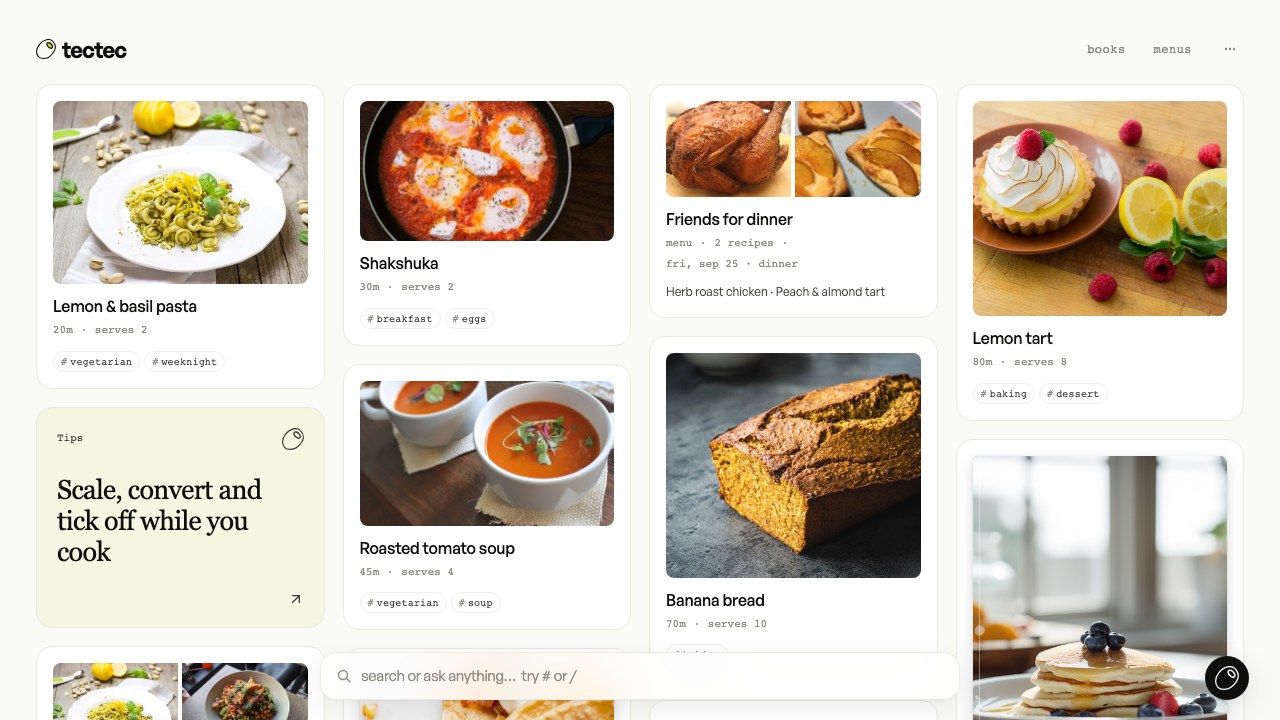
The tectec library: recipe cards with photos, a planned menu and recipe books in one gridview screen
Your library: recipes, books and menus in one place.
01 / a look inside tectecexplore the app

the app / four everyday uses

From collecting recipes
to cooking them.

01

collect

Save recipes from wherever you find them.

Bring together the recipes in your feeds, bookmarks and cookbooks. tectec turns a link, a photo or pasted text into ingredients and steps, with the original source kept alongside.

  • Pinterest, TikTok, Instagram and YouTube
  • Recipe websites, photos and handwritten pages
  • Search your library by name or tag
The tectec library: recipe cards with photos, a planned menu and recipe books in one gridview screen
Your library: recipes, books and menus in one place.
02

cook

A recipe you can actually cook from.

Keep the ingredients and method in view. Adjust the servings, convert measurements and mark your progress as you go.

  • Scale ingredients to the number of people
  • Convert units and temperatures
  • Check off ingredients and steps while the screen stays awake
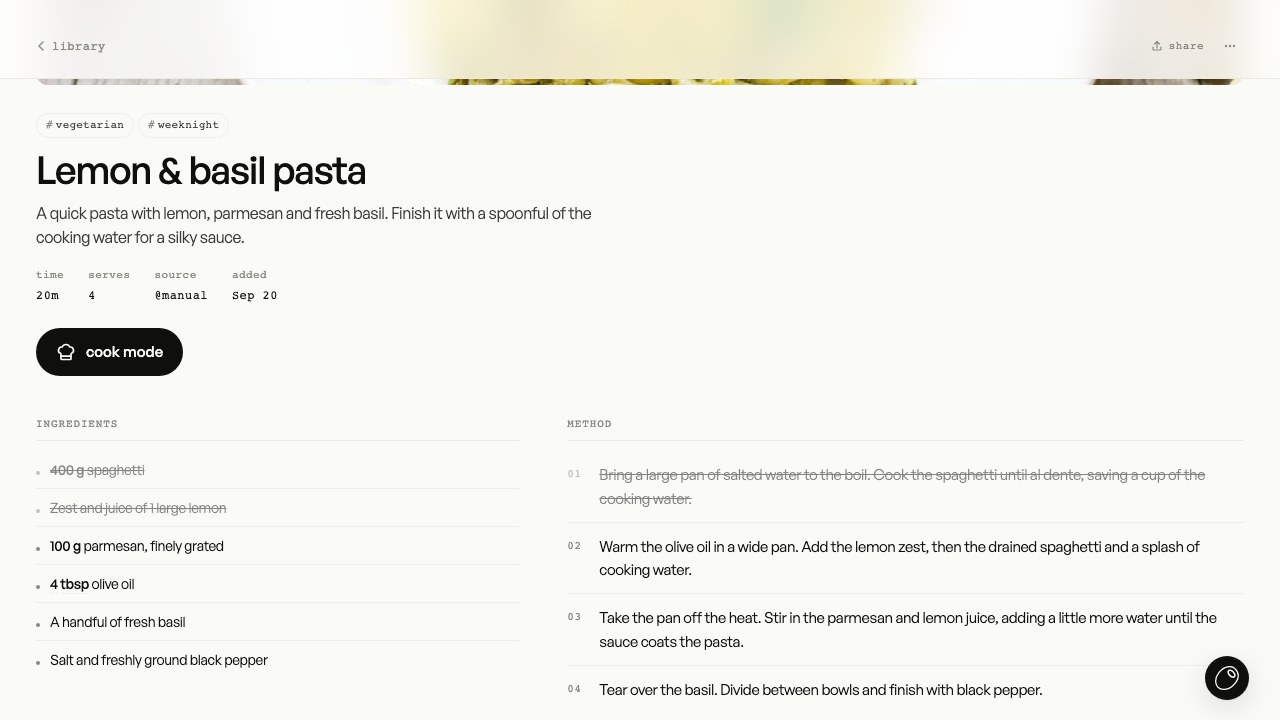
The lemon and basil pasta recipe scaled to four servings, with two ingredients and the first step checked offview screen
The cooking view: servings scaled, progress checked off.
03

plan

Plan a meal. Or the whole week.

Build menus from your recipes and choose a day and meal. Combine the ingredients from several menus into one grocery list.

  • Menus for breakfast, lunch or dinner
  • A meal calendar for the days ahead
  • Check off groceries or export your list
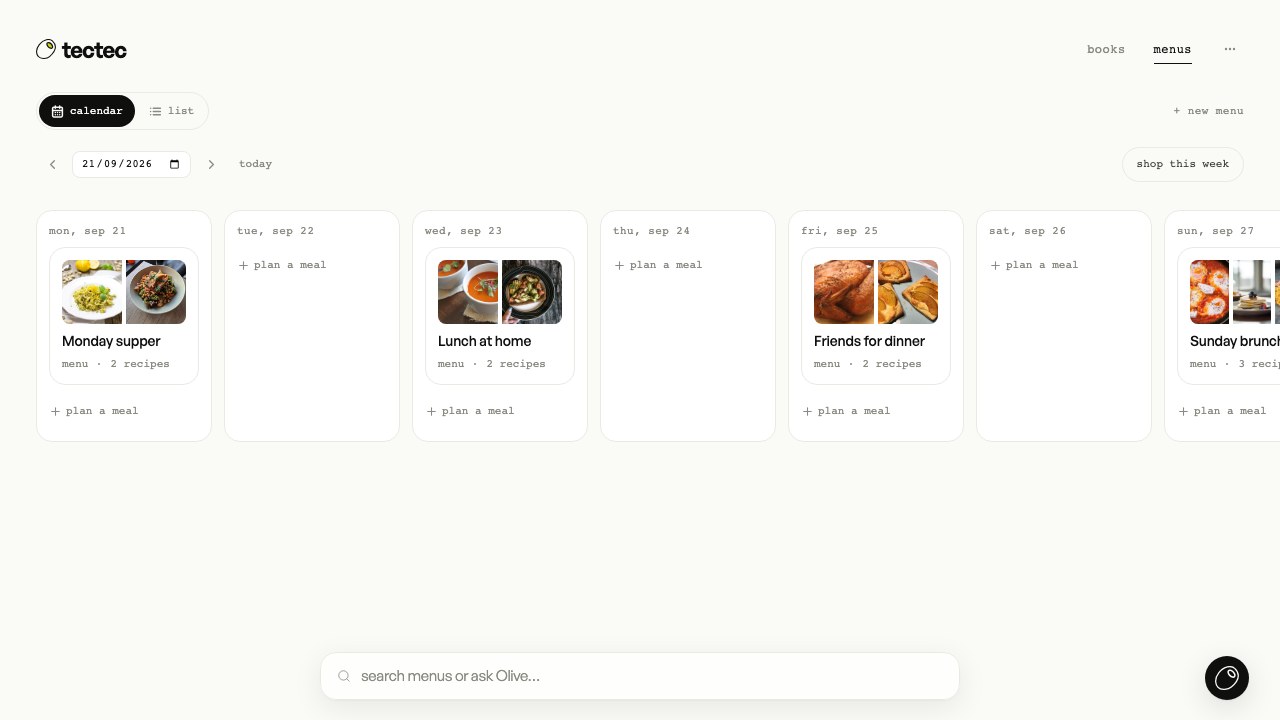
The meal calendar with four menus planned across the weekview screen
A week of menus, ready to turn into a grocery list.
04

share

Build a collection worth sharing.

Organize recipes into books for everyday cooking, family favorites or a special occasion. Invite people to a book and choose who can read or contribute.

  • Recipe books with individual covers
  • Shared collections with member permissions
  • Share a single recipe by link, readable without an account
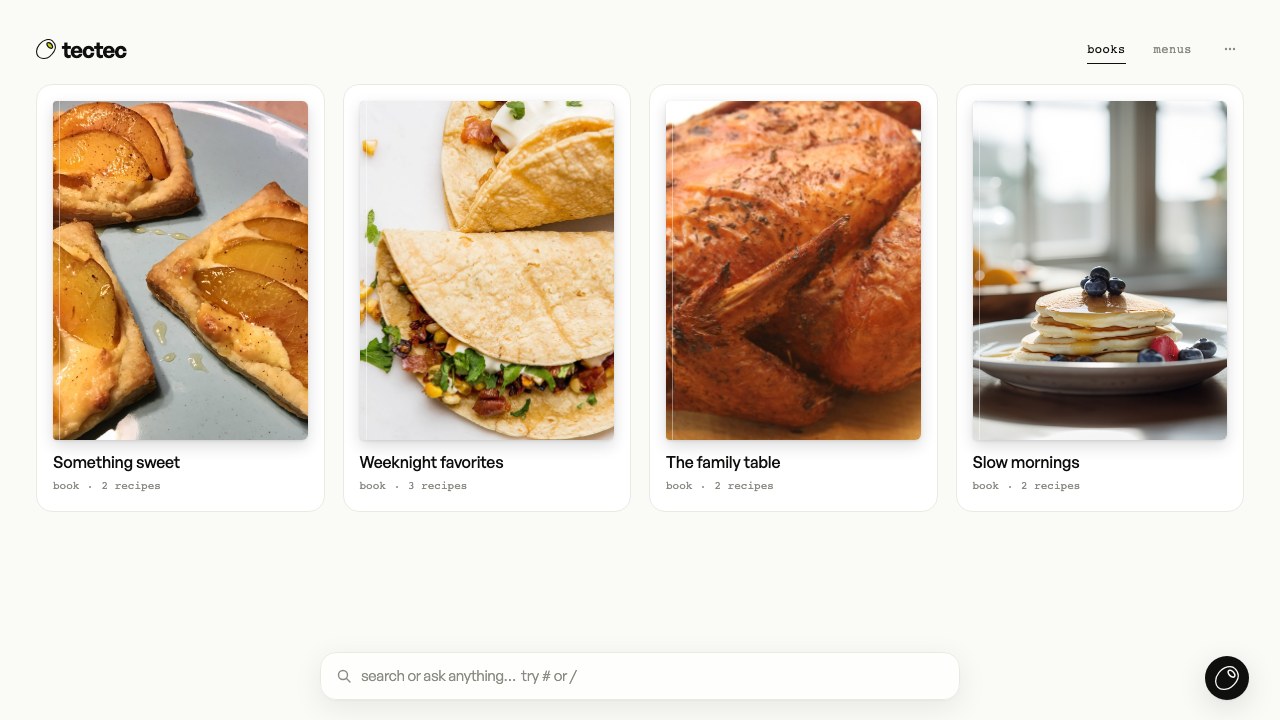
The books screen with Something sweet, Weeknight favorites, The family table and Slow morningsview screen
Recipe books, each with its own cover.
The tectec library: recipe cards with photos, a planned menu and recipe books in one gridview screen
Your library: recipes, books and menus in one place.

Connections.

In your phone's share sheet.

Send a link or a photo to the tectec app from any other app: your feeds, your browser or your camera roll.

saving from your phone

A browser extension.

Save the page you're on in Chrome or Firefox, including recipe sites behind a login or a subscription. Get the extension for Chrome or Firefox.

using the extension

Export to Cookidoo.

Send a recipe to your Thermomix with guided times, temperatures and speeds, through the extension and your own Cookidoo tab.

exporting to Cookidoo Creating recipes on Cookidoo requires an active subscription.

Your AI assistant, via MCP.

Connect Claude, ChatGPT or Codex to your recipes, books, menus and groceries. You choose what it may read and change.

connect an assistant

Olive / your cooking assistant

A little help,
right beside you.

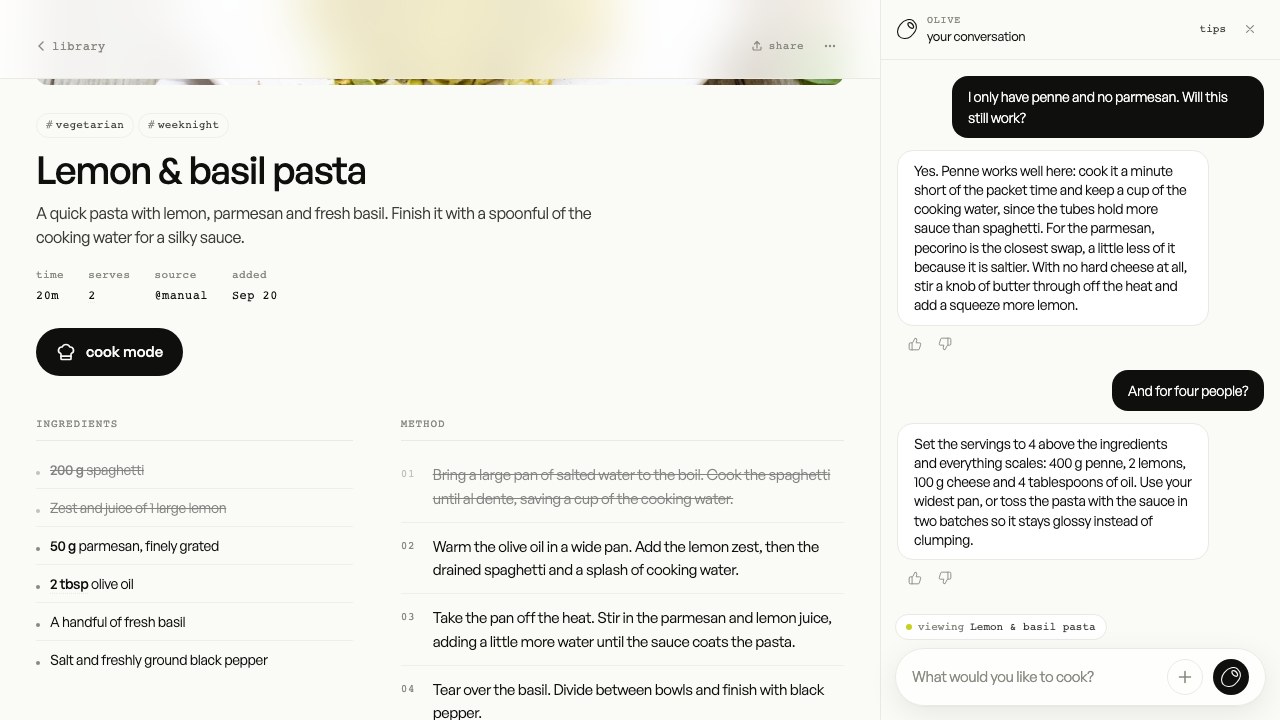
Olive knows the recipe you are looking at. Ask for a substitution, translate the steps, adapt a dish or work on a menu together. Every edit shows as a diff for you to review before it is saved.

meet Olive
substitutionstranslationsoptional nutrition
Olive open beside the lemon pasta recipe, answering a question about swapping the pasta and the cheeseview screen
Olive stays alongside the recipe you are working on.

pricing

Plans for what
you actually use.

As cheap as it can be.

Every feature included. Choose the space and AI usage you need.

Import a recipe from a link
12 to 20 credits
Send a message to Olive
5 to 15 credits
AI groceries & enrichment
varies
Browsing, cooking, books & sharing
0 credits

Typical usage. Photos, batches and longer conversations can use more.

How credits work

Unlimited

€2.25/ month

Unlimited recipes

500 AI credits / month

try this plan for free

Free during the pricing test. No payment taken.

Proposed prices. Paid plans include a €0.25 processing fee.

a few details

Questions,
answered.

More in the documentation .

what is tectec?

a personal recipe library with an assistant. collect recipes from around the web or write your own, organize them in books, plan meals on a calendar and turn menus into groceries. while you cook, scale servings, convert units and check off ingredients and steps.

where can I import recipes from?

most recipe websites, Instagram posts and reels, YouTube and TikTok videos, Pinterest pins, and photos of a cookbook page, a handwritten card or a screenshot. with the mobile app, share a link or a photo to tectec from any other app. the Chrome and Firefox extension saves the page you're on, including sites behind a login or a subscription.

does it handle measurements and units?

yes. quantities scale with the serving count, and you can switch between metric and imperial, Celsius and Fahrenheit. counts, tablespoons and teaspoons stay as they are. an ingredient with no conversion data still scales in its original unit.

who is Olive?

Olive is the assistant built into tectec. she imports recipes, searches your library and the web, helps with menus and answers cooking questions about the recipe you have open. ask her to translate a recipe, make it vegan or swap an ingredient. edits appear as a diff for you to review before anything is saved.

can I share a recipe with someone who doesn't have an account?

yes. create a share link and anyone with it can read the recipe, no account needed. turn sharing off to revoke the link. for a collection, create a book and invite people to it. sharing a recipe doesn't expose the rest of your library.

can I plan meals and make a shopping list?

yes. a menu holds recipes for a meal, with an optional date and a choice of breakfast, lunch or dinner. plan menus on the calendar, then add one or several to groceries. tectec combines ingredients using each recipe's servings, keeps their sources and lets you check off, share or export the list. AI grocery combination uses credits.

does tectec work with Cookidoo and Thermomix?

yes, through the browser extension for Chrome or Firefox. import a Cookidoo recipe from your logged-in browser, or export a tectec recipe to Cookidoo with guided cooking times, temperatures and speeds. creating recipes on Cookidoo requires an active subscription. read the setup.

can I use my own AI assistant?

yes. tectec is an MCP server, so assistants such as Claude, ChatGPT and Codex can connect to your recipes, books, menus and groceries. you choose the permissions when connecting and can revoke access in settings. connect an assistant.

is my data private?

your library is private by default. you decide which recipes to share, who to invite to a book and which permissions to give a connected assistant. the full policy is at tectec.app/privacy.

what does it cost?

nothing while we test pricing, including upgrades. the proposed monthly plans are €0 for 20 recipes, 200 welcome credits and 25 credits a month, or €2.25 for unlimited recipes and 500 credits, processing fee included. every further €2 adds 500 credits; the pricing slider shows the allowances. credits cover AI work only: browsing, cooking, sharing and books are free. monthly credits reset and don't roll over; welcome credits stay until you use them. read about credits and plans.

how do I sign in?

with your email. no password, you get a short code instead. create your account, pick a username and save your first recipe.

your collection starts here

Make room for
your recipes.

start using tectec

Private by default. Share when you choose.